Online booking for appointment studios in the Netherlands and Belgium Clients book themselves. On your own page, in your own style.
Your calendar, your clients and what they paid in one calm place. Clients pay you as they always have: on your own card machine or in cash. € 12.99 a month if you work on your own, € 8.99 for each extra team member.
- 30 days free
- no payment details needed
- no commission
Already have an account? Sign in
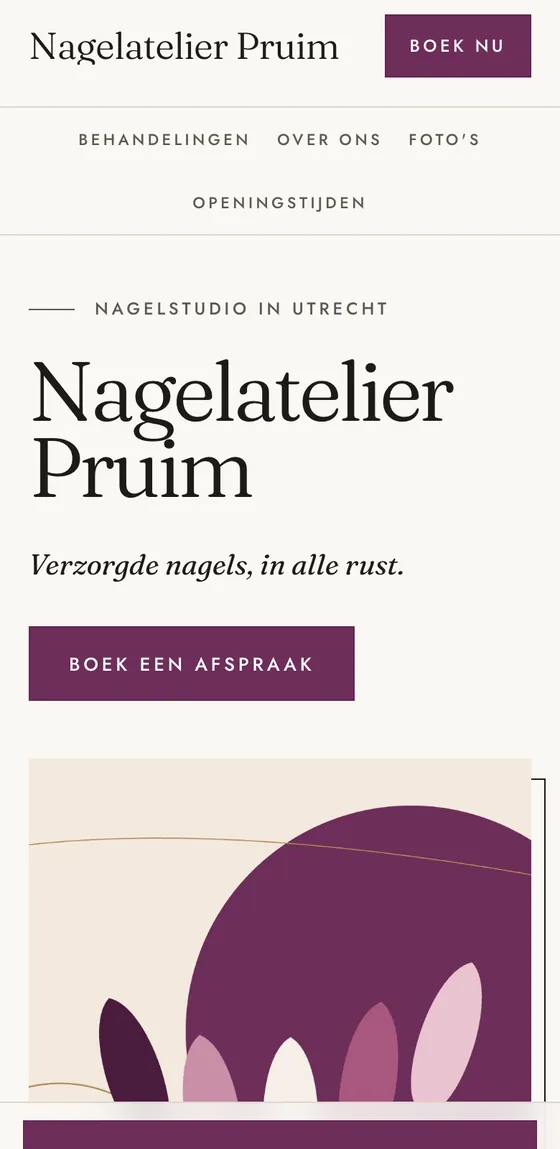

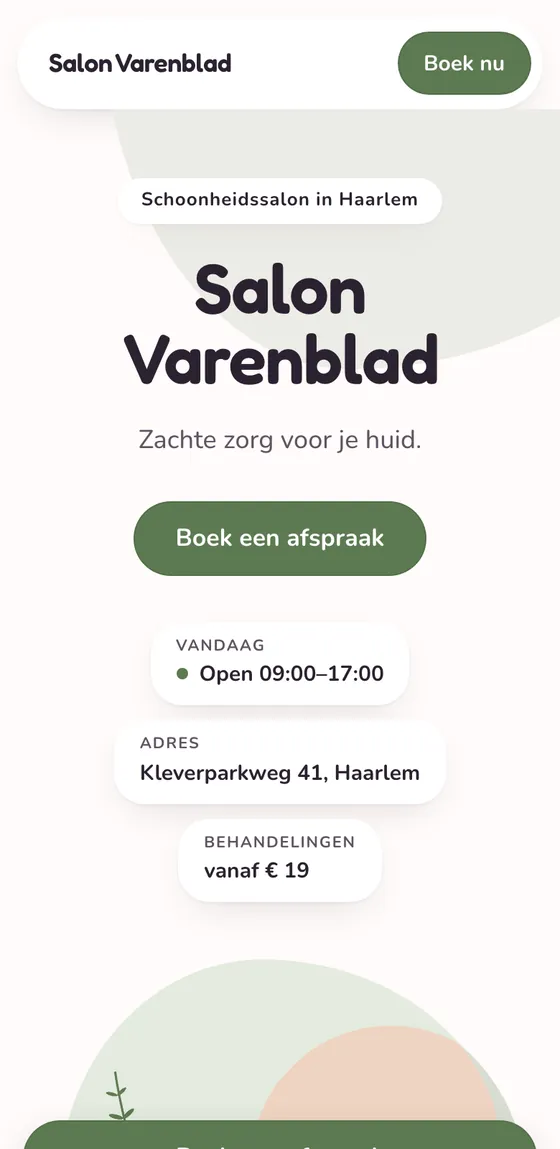

Same system. Your style.
Four example studios, each with a page and an address of its own.
Example studios, made up for this page.
A real studio
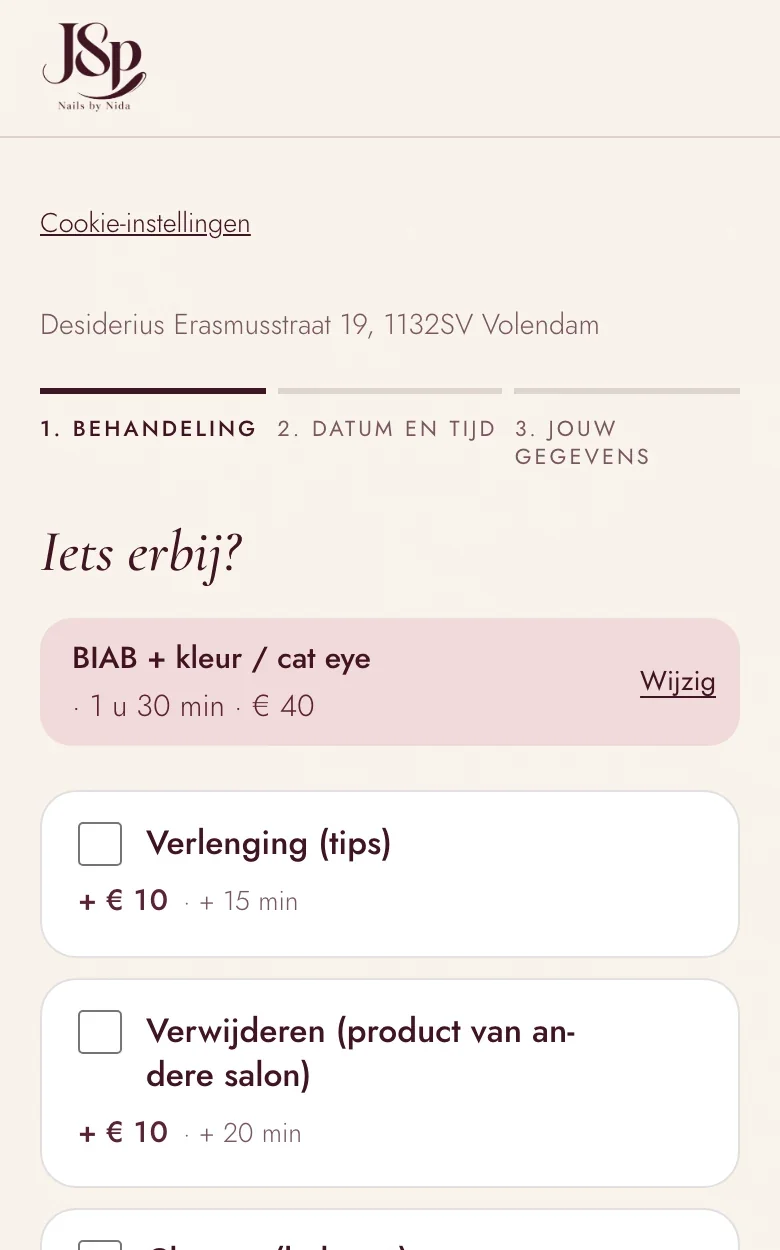
JSP Nails in Volendam books with Prenuvio
Nida runs a nail studio from her home in Volendam, in the Netherlands, and works alone. Her clients book online themselves and pick their extras; she sees it all in one calendar. Prenuvio started with her studio: she was the first.
Mijn boekingspagina ziet eruit als mijn studio. Klanten kiezen zelf wat ze willen en wat ze erbij willen, en ik zie het gewoon in mijn agenda staan.
Her words, in Dutch:
Translation: My booking page looks like my studio. Clients choose what they want and what they’d like added, and I just see it in my calendar.
Getting started
Is your price list still on paper?
Then you can be online in about ten minutes, without retyping a thing.
Price list - GEL POLISH
- Gel polish, hands45 min · € 35
- Gel polish, feet45 min · € 38
- BIAB
- BIAB natural60 min · € 45
- BIAB infill60 min · € 42
- NEW SET
- Acrylic full set90 min · € 60
- + Extensions (tips)€ 10
- NAIL ART
- Chrome€ 3
- French€ 7
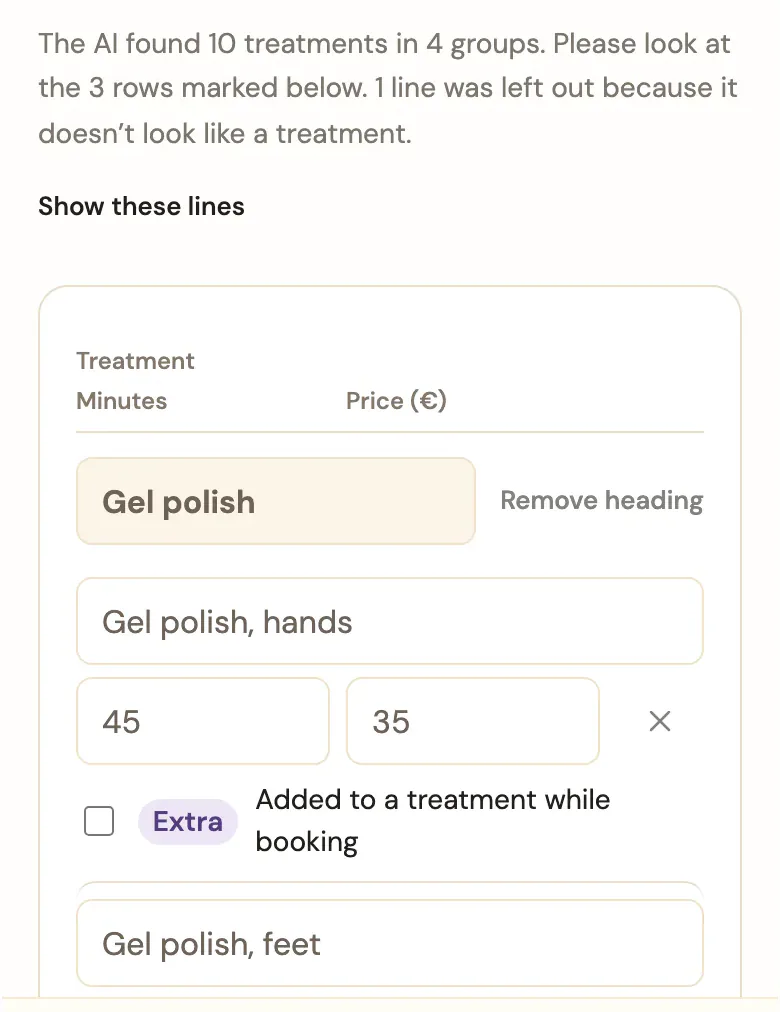
Paste or photograph your price list
From a note, a photo, a PDF or your website’s address. The AI turns it into rows, with groups, prices, durations and add-ons such as ‘+ extensions’. You check them and save.
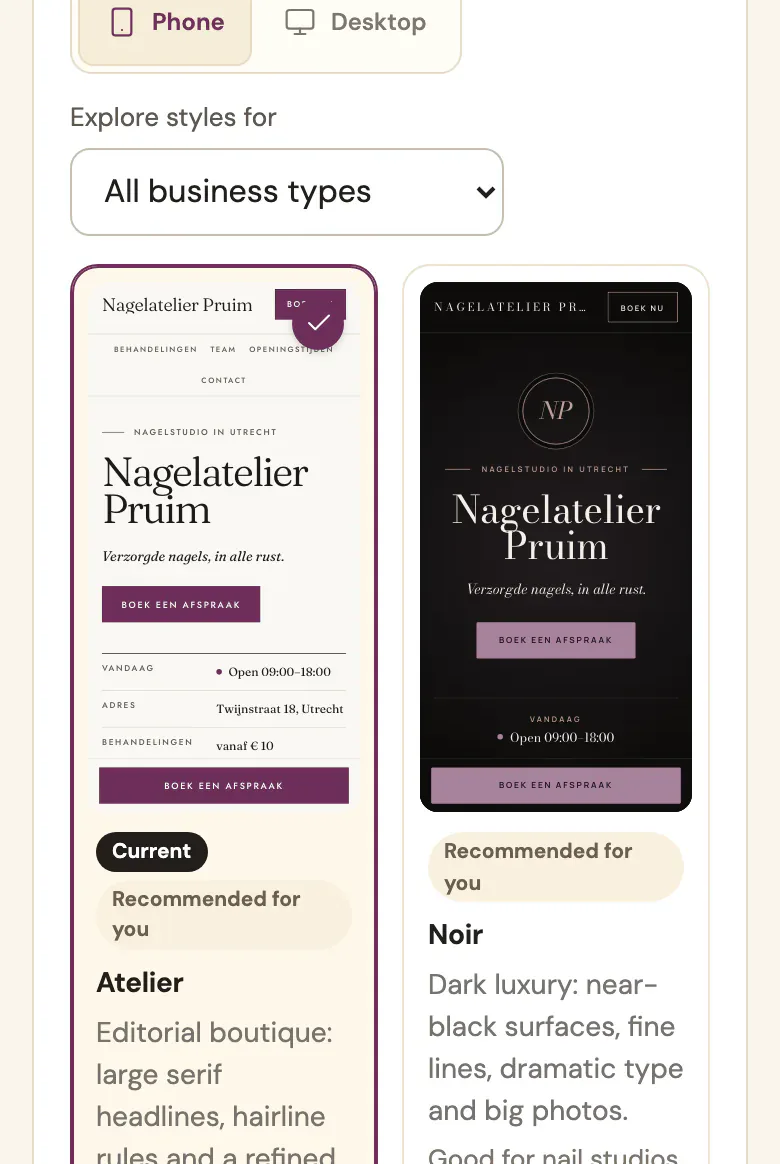
Pick how your page looks
12 complete designs, from soft and botanical to dark and bold. Your name, colour and photos are in from the start, and you can switch whenever you like.
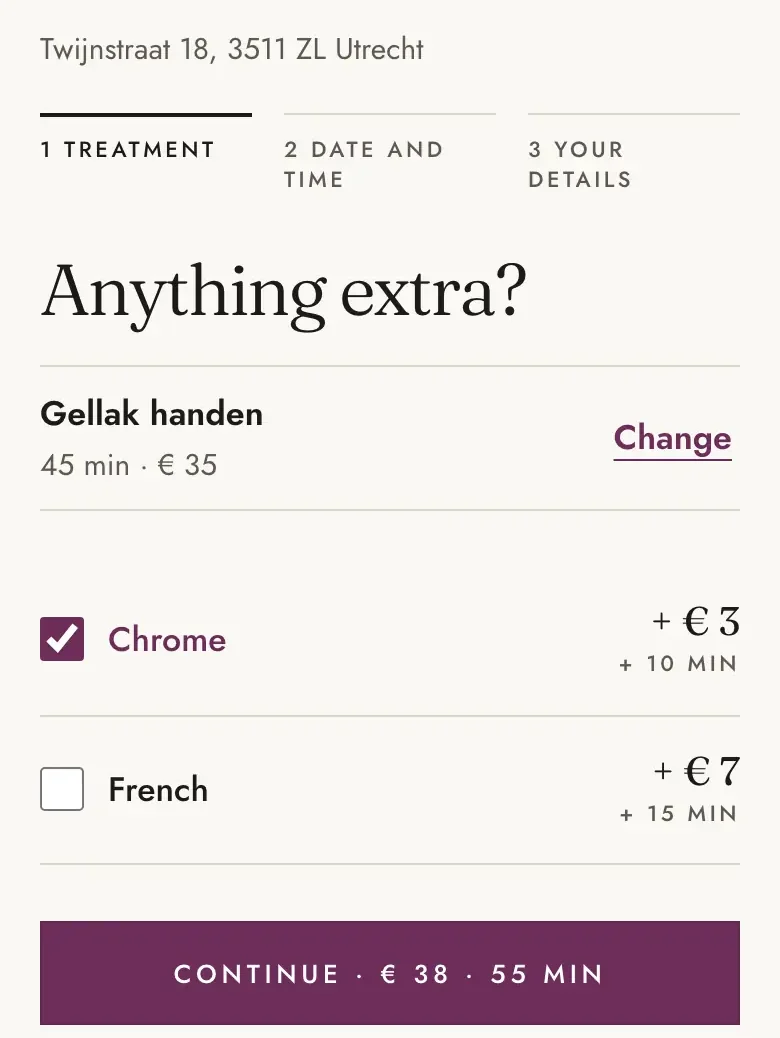
Your page is live
At your own address: yourstudio.prenuvio.com. Clients choose a treatment, add an extra if they like, and pick a time.
On the screens: our example studio Nagelatelier Pruim, set up with the price list above.
Your own website
Already have a website? Keep it.
Add a Book now button. Clients book with you, in your colours, and get back to your site in one tap.
- You get a booking link for your Instagram bio and your WhatsApp replies.
- And a button to paste into your site, or to send to whoever looks after it.
- Plus a QR code for your door, your price list or a card on the counter.
Cuts, beards and a hot towel.
Kloosterstraat 112, Antwerp
Scan to book

Barbershop Brons
A day in your studio
Your whole day in one calm place
Calendar, clients, completed appointments and your numbers. On your phone, your tablet or the computer in the studio.
-
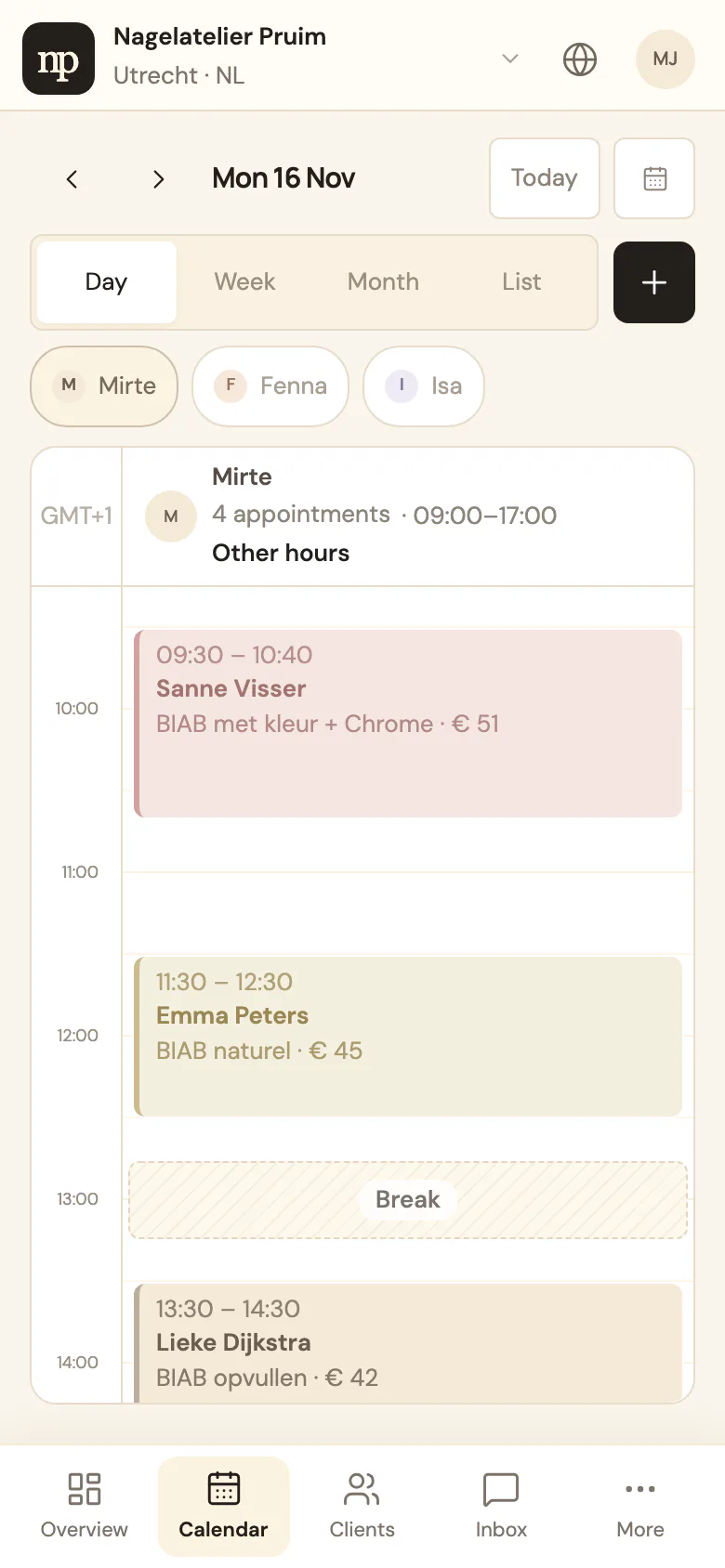
Your calendar fills itself
Online bookings go straight into your calendar. Your client gets a confirmation by e-mail and, by default, a reminder the day before. If she can’t make it, she cancels through that e-mail, up to the cut-off you choose.
-
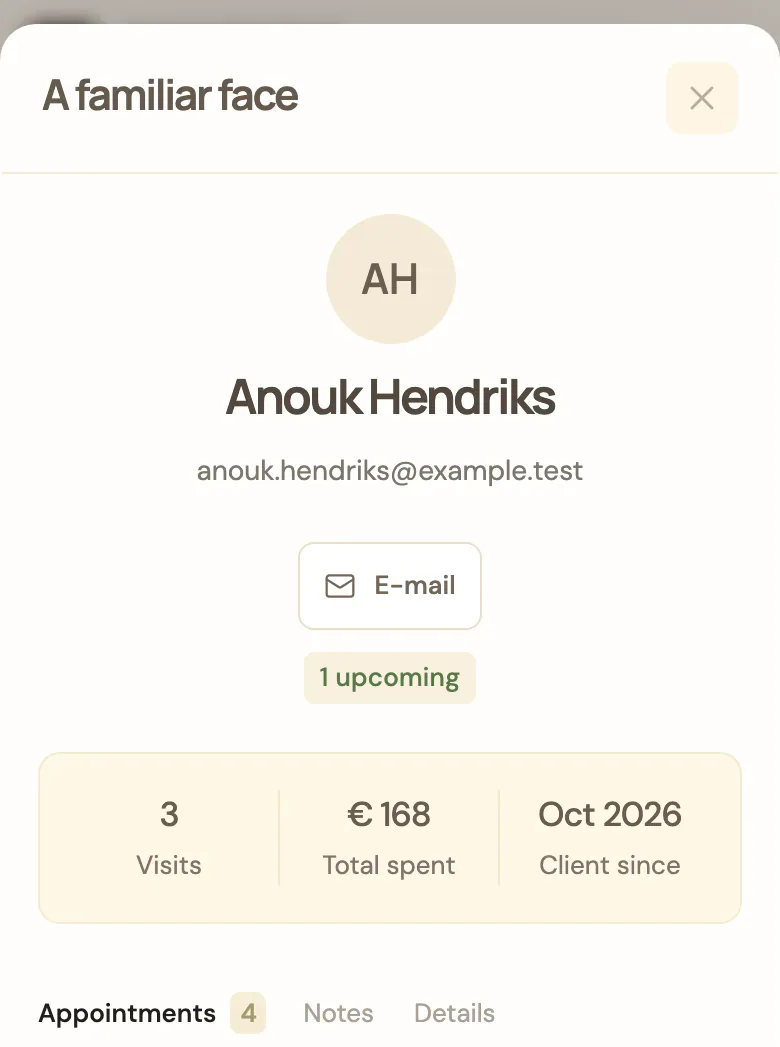
You know who’s coming
Every client’s appointments, what she spent and your notes. You won’t forget ‘no glitter, please’ again.
-
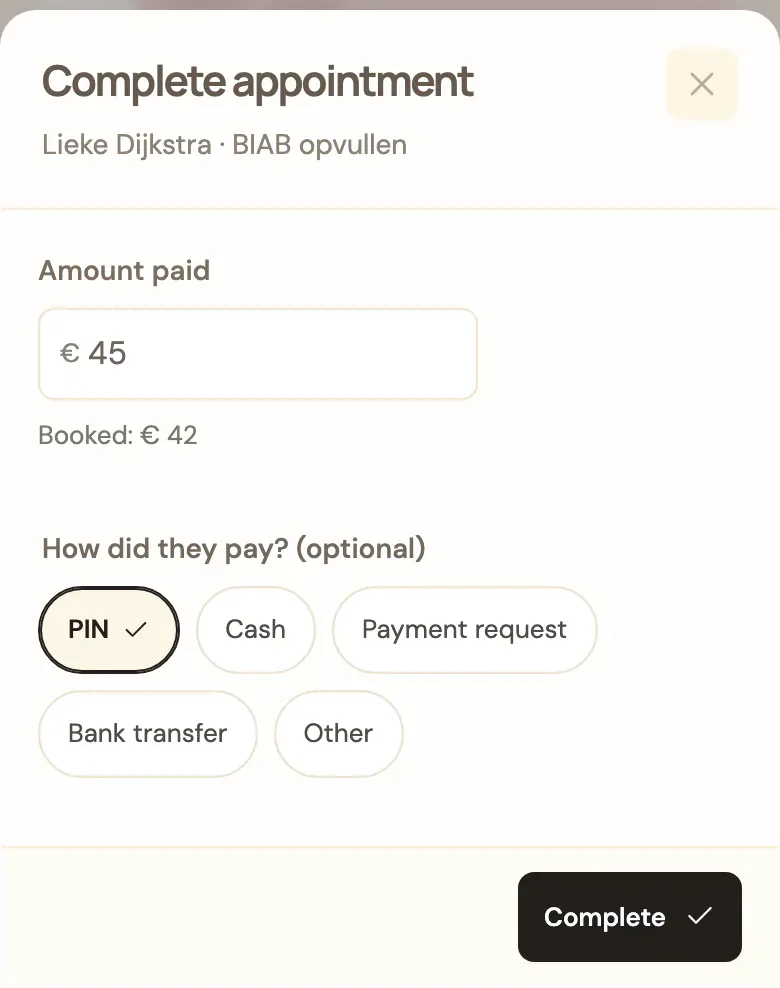
Complete it with what was paid
Done? Tap Complete. The booked price is already filled in. If the client added something on the spot, change the amount, and if you like, tap how she paid: PIN, cash or something else. Prenuvio itself doesn’t process payments.
-
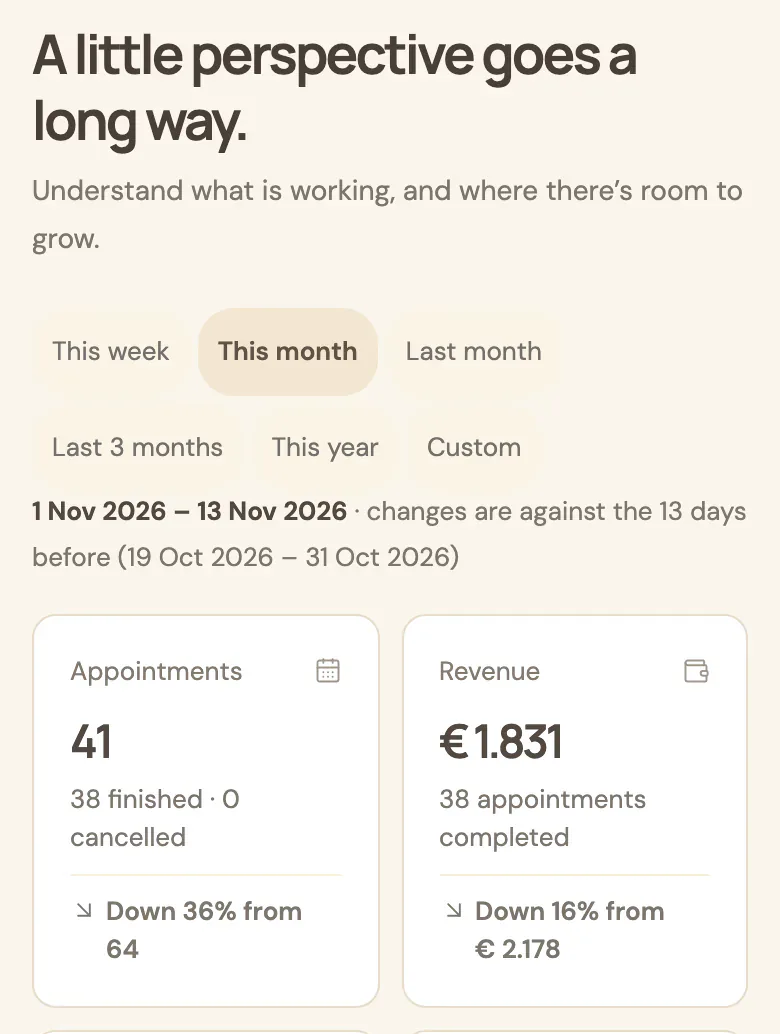
See what works
Your revenue, new and returning clients, your busiest days and your most popular treatments. Revenue counts what clients actually paid. No spreadsheet needed.
Screens from the real app, with a made-up studio and made-up clients. The studio wrote its treatments in Dutch.
Also included
- Receipts and sales
- if you want them: receipts, products, expenses and a VAT overview
- Offers
- a welcome discount or a discount code
- Newsletters
- only to clients who said yes
- Messages
- client questions in one place
- Team
- colleagues with their own sign-in
- Locations
- a second salon or place you work
- Six languages
- clients book in NL, FR, EN, Albanian, Italian or Spanish
Not in Prenuvio: SMS or WhatsApp reminders, online payments and an app to download. What’s not included
Pricing
One price per person. Everything included.
You pay for each person in your team, nothing else. All about pricing
If you work on your own, you pay
€ 12.99 a month, excl. VAT
€ 15.72 incl. 21% VAT
+ € 8.99 a month for each extra person in your team € 10.88 incl. 21% VAT
- Every feature for everyone
- Extra locations cost nothing
- No commission and no contract
- Try it free for 30 days
Two people pay € 21.98 a month, three pay € 30.97 and five pay € 48.95, excluding VAT. Every amount on the pricing page
When you pay for the year
Paying for the year? We build your website.
With a subscription of € 30.00 a month or more, such as a team of 3 (€ 30.97), paid for the year, the Prenuvio team builds your studio a professional website with booking built in, at no extra cost. Already have a site? Then we connect Prenuvio to it.
Questions
What you might be wondering
Can I switch from my current system?
Yes. You bring your clients and upcoming appointments over yourself in a few minutes, from a CSV file from your old system or rows pasted from a spreadsheet. Rather have help? E-mail [email protected] and tell us what you use now, and we’ll help for free. Past appointments and payment history don’t come across.
What happens after 30 days?
Nothing happens by itself: you gave no payment details when you signed up. Whether you stay is up to you.
Am I tied in?
No. There’s no contract: you pay by the month. You can download all your data, such as clients, appointments and payments, as a file at any time.
Do clients need an account to book?
No. They choose a treatment and a time and enter their name and e-mail address. No account, no app.
Which languages can my clients book in?
Dutch, French, English, Albanian, Italian and Spanish. You choose which ones your page offers and which is the main one; each client gets her e-mails in the language she booked in. Your own texts, such as your treatment names, stay exactly as you typed them: Prenuvio doesn’t translate them. You and your team work in Dutch, French or English.
Does it work on my phone?
Yes, in the browser on your phone, tablet or computer. Add Prenuvio to your home screen and it opens like an app. It isn’t in the App Store or Play Store yet.
Is the app itself in English?
Yes. The workspace is in English, Dutch or French; you choose. Your booking page and the e-mails to your clients can be in all three, so each client books in her own language.
Who can see my clients’ details?
You, and the colleagues you invite. They see the calendar and the clients, not your figures or settings. There’s no marketplace: clients don’t see other studios, and other studios don’t see your clients. If a client asks you to erase her details, it takes one button.
Do I get help setting up?
The app walks you through five steps: your studio, your treatments, your team, your opening hours and your page. If you get stuck, e-mail [email protected].